
Clean up your photos. One swipe at a time. Limpia tus fotos. Gesto a gesto.
Swipe through your photo library like a deck of cards: skip a photo, delete it or file it in a folder. Fast, satisfying, and your photos stay on your phone.
Recorre tu fototeca como si fuera una baraja de cartas: pasa una foto, elimínala o guárdala en una carpeta. Rápido, satisfactorio y tus fotos no salen de tu móvil.
How it worksCómo funciona
One gesture per photo Un gesto por foto
Each direction runs an action, so decisions take a second instead of a dozen taps.
Cada dirección ejecuta una acción, así que decidir cuesta un segundo en lugar de una docena de toques.
-
Swipe to the rightDesliza hacia la derecha
NextSiguiente
Not sure yet? Leave the photo as it is and move on to the next one.
¿Aún no lo tienes claro? Deja la foto como está y pasa a la siguiente.
-
Swipe to the leftDesliza hacia la izquierda
DeleteEliminar
The photo goes to your Deleted list. Nothing is removed until you confirm it there.
La foto pasa a tu lista de Eliminadas. No se borra nada hasta que lo confirmas allí.
-
Swipe upDesliza hacia arriba
Save to folderGuardar en carpeta
Add the photo to one of your albums, either a set destination or one you pick on the spot.
Añade la foto a uno de tus álbumes, ya sea un destino fijo o uno que eliges en el momento.
-
Swipe downDesliza hacia abajo
FavoriteFavorito
Mark the photo as a favorite so it shows up in your Favorites album.
Marca la foto como favorita para que aparezca en tu álbum Favoritos.
These are the defaults. You can choose which action each direction runs in Settings › Swipe actions.
Estos son los valores predeterminados. Puedes elegir qué acción ejecuta cada dirección en Ajustes › Acciones de deslizamiento.
ScreenshotsCapturas
A look inside Un vistazo por dentro
-
Screenshot coming soonCaptura próximamente
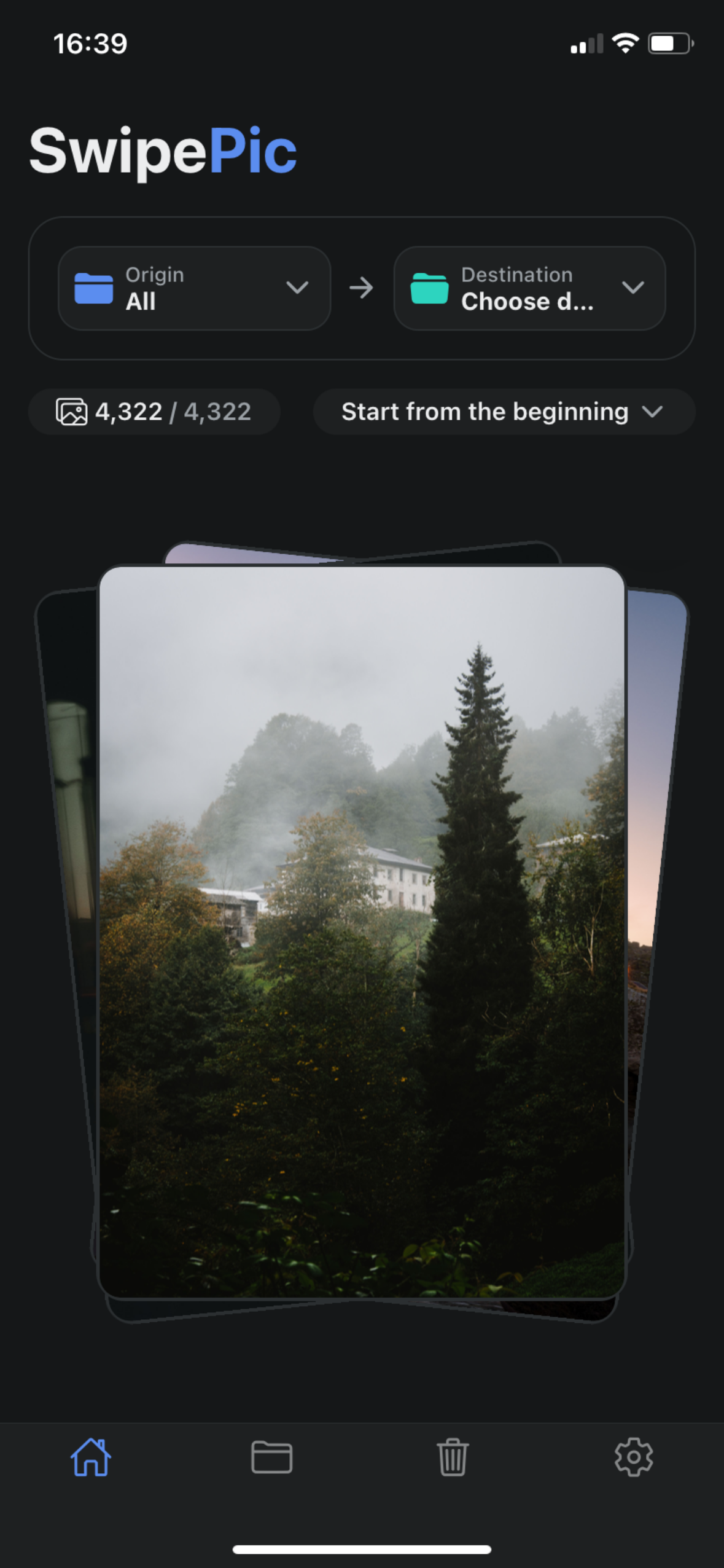
Swipe through your photosDesliza por tus fotos -
Screenshot coming soonCaptura próximamente
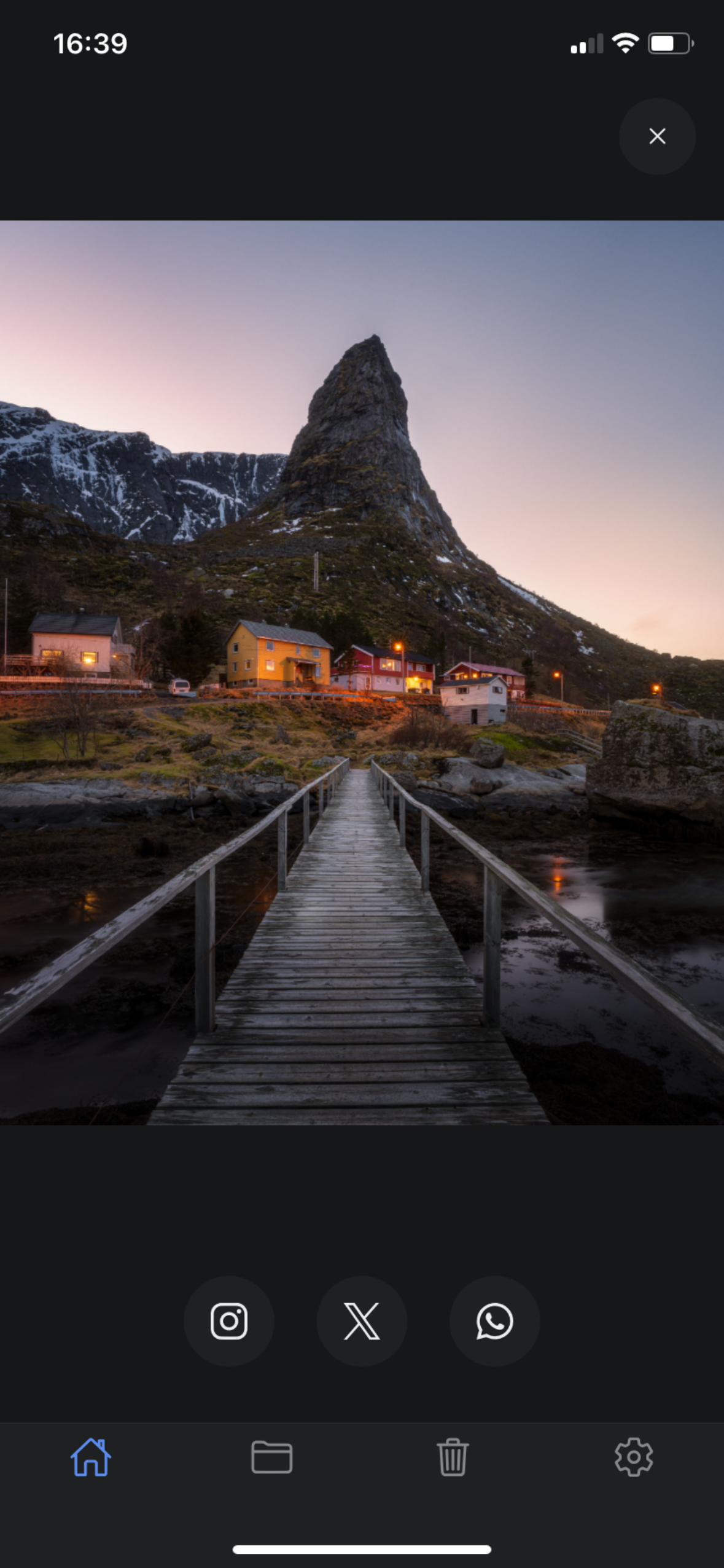
Full-screen look with zoomVista a pantalla completa con zoom -
Screenshot coming soonCaptura próximamente
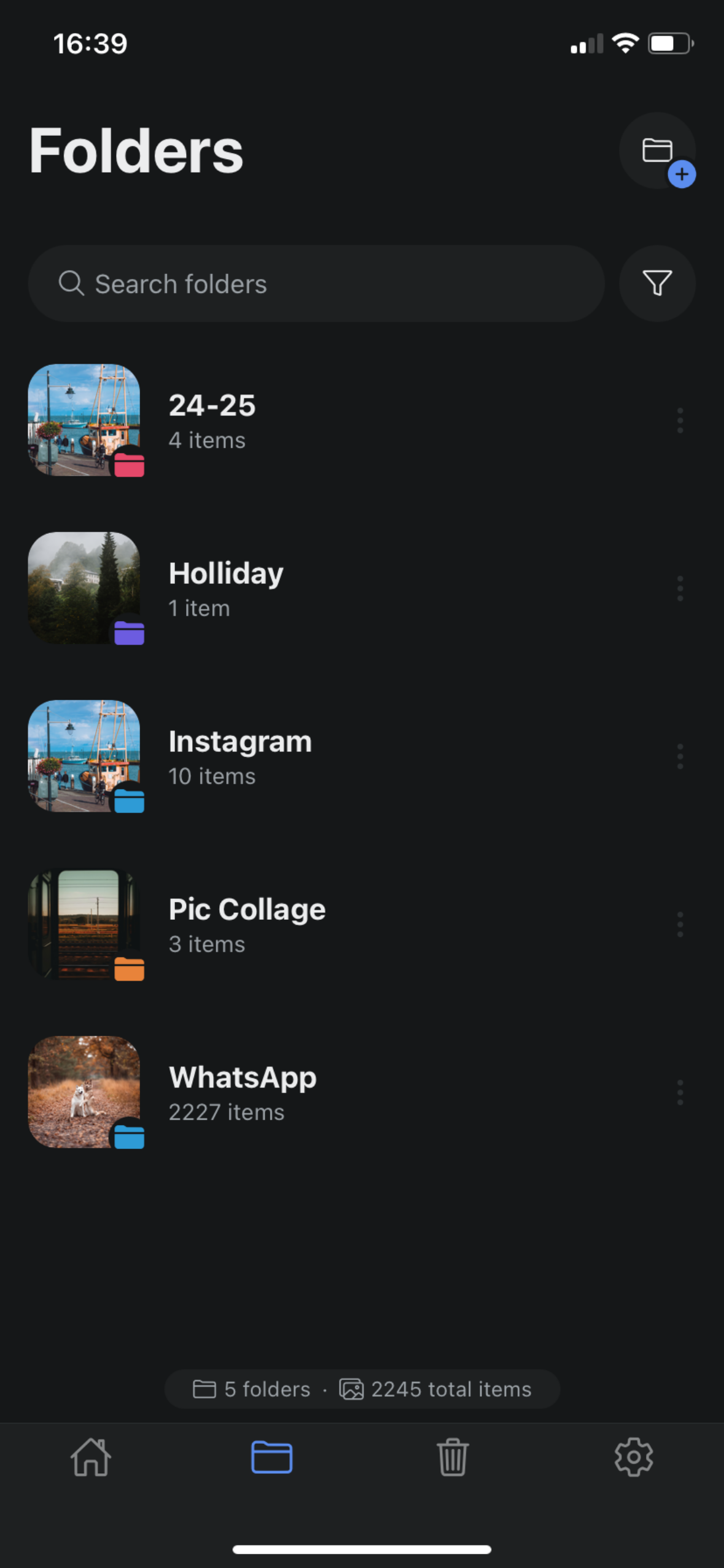
Folders are your albumsLas carpetas son tus álbumes -
Screenshot coming soonCaptura próximamente
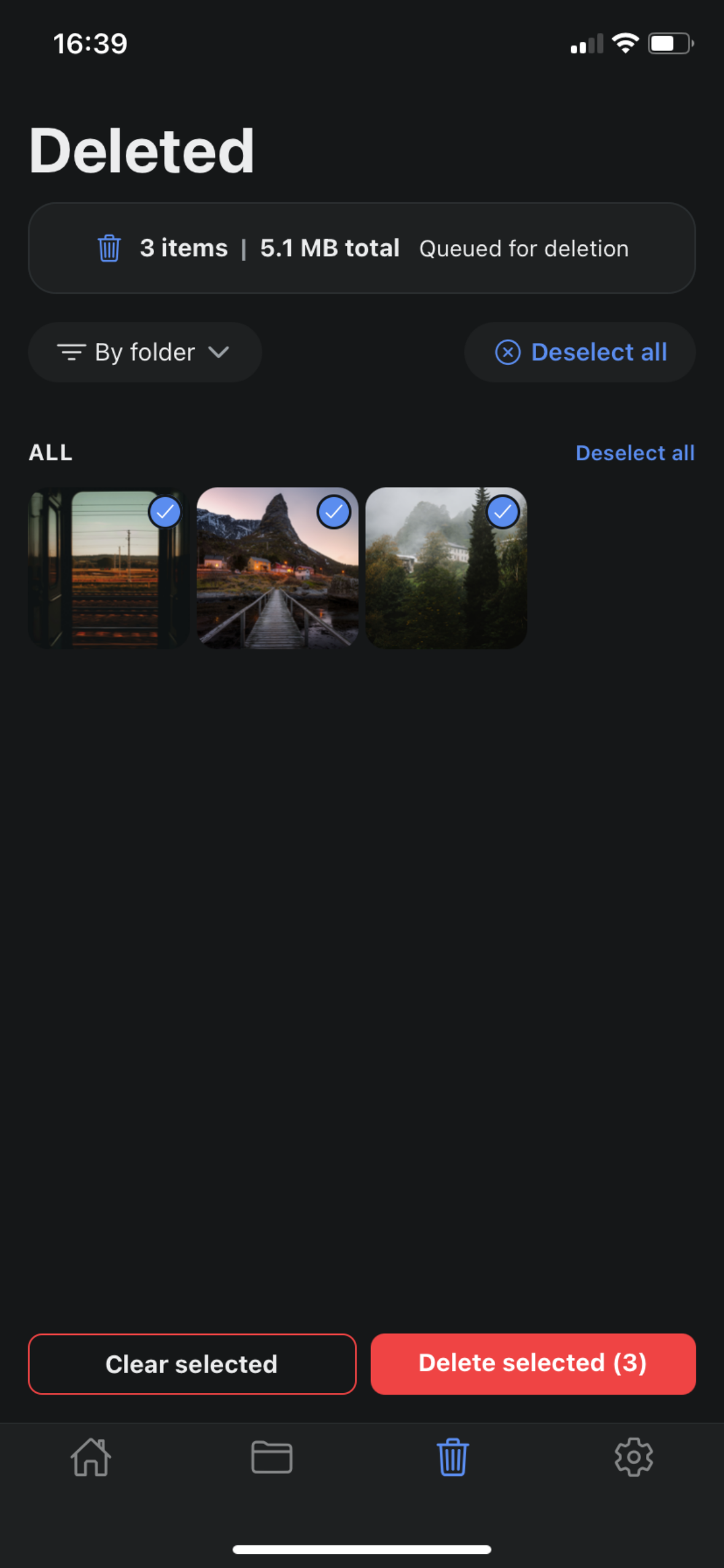
Review before deletingRevisa antes de eliminar -
Screenshot coming soonCaptura próximamente
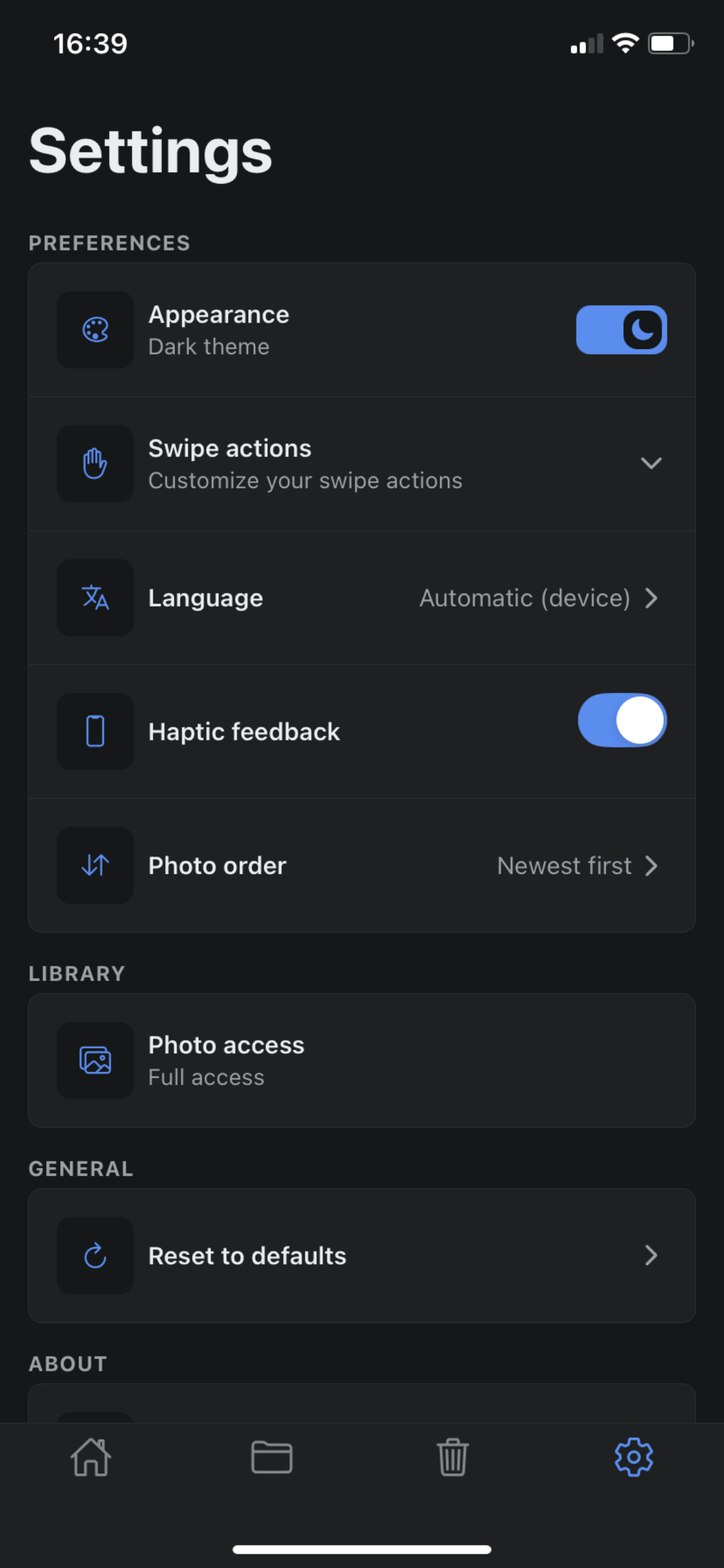
Make it yours in SettingsA tu manera en Ajustes
FeaturesFunciones
Everything you need to tidy up Todo lo que necesitas para poner orden
-
Clean up in secondsLimpia en segundos
Decide what happens to each photo with a single gesture instead of digging through menus.
Decide qué pasa con cada foto con un solo gesto, sin rebuscar entre menús.
-
Folders are your real albumsLas carpetas son tus álbumes reales
Folders in SwipePic are the albums in your photo library, so what you organize shows up in the Photos app too.
Las carpetas de SwipePic son los álbumes de tu fototeca, así que lo que organizas también aparece en la app Fotos.
-
Review before anything is deletedRevisa antes de borrar nada
Swiped-away photos wait in the Deleted list until you confirm, and iOS asks once more before removing them.
Las fotos descartadas esperan en la lista de Eliminadas hasta que confirmas, e iOS vuelve a preguntar antes de borrarlas.
-
Take a closer lookMíralas de cerca
Tap a photo to open it full screen, then pinch or double-tap to zoom in on the details.
Toca una foto para verla a pantalla completa y pellizca o toca dos veces para ampliar los detalles.
-
Share the keepersComparte las mejores
Send a photo to Instagram, X or WhatsApp straight from the full-screen view.
Envía una foto a Instagram, X o WhatsApp directamente desde la vista a pantalla completa.
-
Your swipes, your rulesTus gestos, tus reglas
Choose the action for each direction, turn haptic feedback on or off and pick the photo order.
Elige la acción de cada dirección, activa o desactiva la vibración háptica y elige el orden de las fotos.
Private by design Privada por diseño
SwipePic works directly on the photo library on your iPhone. There are no SwipePic servers, so your photos are never uploaded anywhere. A photo only leaves your phone when you choose to share it.
SwipePic trabaja directamente sobre la fototeca de tu iPhone. No hay servidores de SwipePic, así que tus fotos nunca se suben a ningún sitio. Una foto solo sale de tu móvil cuando tú decides compartirla.
Read the Privacy PolicyLee la política de privacidad- No account or sign-upSin cuenta ni registro
- No adsSin anuncios
- No tracking or analyticsSin rastreo ni analíticas
- Your settings are stored only on your deviceTus ajustes se guardan solo en tu dispositivo
Ready to clear the clutter? ¿Te animas a poner orden?
SwipePic is coming soon to iPhone.
SwipePic llega pronto al iPhone.
Coming soon to the App StorePróximamente en la App Store